Why Your Word Doc Proposal Is Costing You Bookings
The document you send is the only evidence a client has of how you work. Here's exactly where Word, PDF and email proposals lose bookings — and what to send instead.
Nobody has ever told an advisor "I'm not booking because your proposal was a Word attachment."
That's exactly the problem. This failure is invisible. The client just… doesn't reply. Or replies four days later with "still thinking." And because you never hear the real reason, you conclude it was price, and you spend the next quote hunting for another fifty dollars off instead of fixing the thing that actually lost it.
Here's the mechanism, and the five specific places attachment-based proposals leak bookings.
The comparison you're actually in
You think you're competing on price and expertise. Sometimes. But most of the time your client is doing something much simpler: deciding whether you seem like a professional operation.
They have almost nothing to go on. They can't inspect your supplier relationships or your years in the business. What they can see is the document you sent. It is, functionally, your storefront — and if it arrives as Patterson_Quote_FINAL_v3.docx, that's the storefront.
Two advisors, same ship, same cabin, same price. One sends an attachment with a pasted screenshot. The other sends a link that opens instantly on a phone, branded, with the options laid out and a button to say yes. The second advisor wins that comparison almost every time, and the first one never finds out why.
Leak 1: The download step
Most clients read proposals on a phone, at night, with something on in the background.
An attachment on a phone means: tap, download, wait, open in a viewer, pinch, zoom, drag sideways to find the price. Every one of those steps is an opportunity to think I'll look at this properly later.
Later is where bookings go to die. Interest decays fast after a consultation — the enthusiasm you built on the phone has a shelf life measured in days, and "I'll read it on my laptop tomorrow" spends most of it.
Leak 2: It looks different every time
Hand-built documents drift. The logo moves, the heading size changes, last month's blue isn't quite this month's blue, and a paste from a supplier email drops Calibri into the middle of your carefully chosen font.
Individually, none of this is noticed. Collectively, it reads as this person makes it up as they go. Consistency is the cheapest signal of professionalism there is, and hand-built documents structurally cannot deliver it.
Leak 3: You're flying blind
This is the one advisors underrate most.
When you send an attachment, you know exactly nothing. Did they open it? Did they read past the first page? Did they look at the balcony twice? Did they forward it to their spouse?
So you follow up on a guess, usually with the worst possible message: "Just checking in — any thoughts?" That message has no information in it, so it generates no response.
Compare that to knowing your client opened the proposal three times last night and kept returning to the mini-suite. Now your follow-up writes itself: "Saw you were looking at the mini-suite — there are two left on Deck 11, and I can hold one today." That's not a check-in. That's a close.
Leak 4: There's no way to say yes
At the bottom of most Word proposals is some version of "let me know your thoughts."
That is not an action. It's a request for the client to compose an email, which is work, which gets postponed.
The gap between feeling ready and doing something about it is where a huge share of bookings evaporate. A client who feels ready at 9:40 PM on a Saturday and has to write an email will do it tomorrow — except tomorrow their sister mentions a different itinerary, and now you're re-selling from scratch. A single button they can tap in the moment removes that entire failure mode.
Leak 5: The supplier's language leaks through
When you're rebuilding a proposal by hand under time pressure, supplier vocabulary survives. "GTY," "BA," "OV obstructed," fare codes, "tx/fees."
Every one of those is a small moment of confusion, and confusion doesn't produce questions — it produces delay. Clients rarely admit they don't understand something. They just wait, and waiting looks identical to disinterest.
"But my proposals look fine"
Some do. If you've built a genuinely good template and you keep it disciplined, you'll clear most of the presentation bar.
But you still can't escape the structural limits. A file cannot open as a mobile-friendly link. A file cannot tell you when it was read. A file cannot collect a yes. Those aren't design problems you can solve with a better layout — they're limits of the format itself.
And there's a cost you're paying regardless: time. Most advisors spend forty-five minutes to two hours per proposal, and the overwhelming majority of that is transcription and nudging boxes. That's not expertise. That's data entry with a layout tool attached.
What to send instead
The shape of the fix is straightforward:
- A link, not a file. Opens instantly, on any device, no download.
- Consistently branded. Your logo and colors in the same place every time, because the design decisions were made once.
- Options laid out to compare, with your recommendation marked.
- All-in pricing, nothing buried.
- One button to say yes — and a notification to you the moment they press it.
Here's what that looks like. Same trip, six different designs — flip through and notice that every one of them still does all five things:
BAHAMAS
4 Nights Bahamas & Perfect Day Cruise
Day by day
Bahamas
4 Nights Bahamas & Perfect Day Cruise
Oceanview Balcony

Ultra Spacious Oceanview Balcony

Day by day
Bahamas
4 Nights Bahamas & Perfect Day Cruise
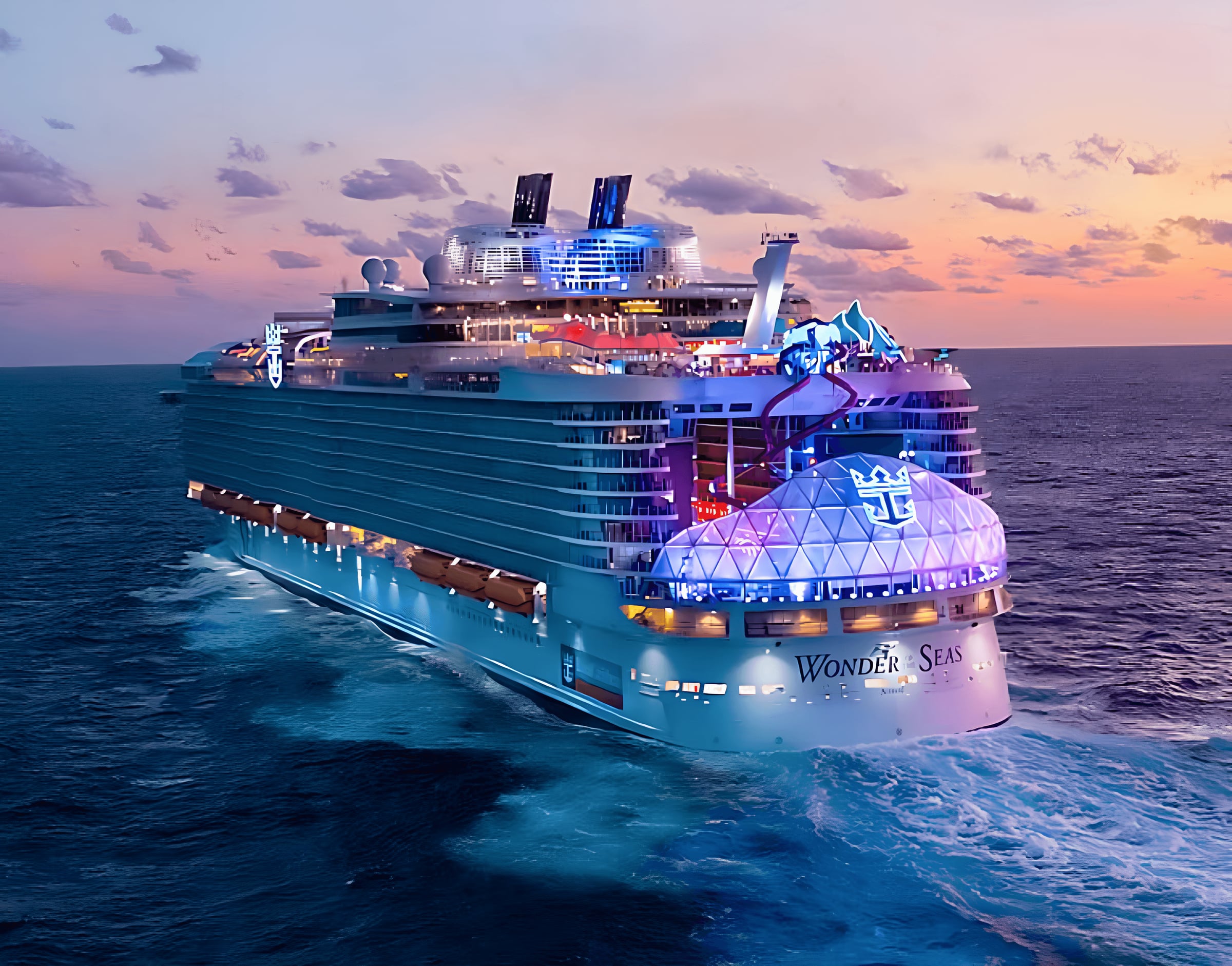
A 4-night sailing aboard the Wonder of the Seas — departing Port Canaveral on Aug 17, 2026.
Day by day
The honest summary
You are almost certainly not losing bookings because your prices are wrong. You're losing a share of them to friction — a download step, an inconsistent document, a follow-up sent blind, and no way for an interested client to act in the moment they're interested.
None of that requires better selling. It requires a better container.
That's what we built VoyageLine to be. Paste the supplier email or drop a screenshot, we pull out the ship, dates, cabins and fares, you review every field, and it publishes as a branded proposal on a link your client opens on their phone. You'll know when they read it, and you'll know the second they tap Ready to book.
You stay the expert. You just stop sending attachments.
For the full anatomy of a proposal that closes, read How to make travel proposals that win bookings. For the presentation specifics, see how to make your proposals look professional.
Send your next one as a link. First three proposals free — no card, no demo call. Build one free →
Keep reading
How to Present Multiple Options Without Overwhelming Your Client
More choice feels generous and behaves like a burden. Here's how many options to send, how to order them, and why a recommendation isn't pushy — it's the job.
How to Follow Up After Sending a Travel Proposal
Silence isn't a no. It's usually a busy week. Here's a follow-up sequence with actual language — and why the worst message you can send is 'any thoughts?'
How to Make Travel Proposals That Win Bookings
Most proposals aren't lost on price. They're lost on clarity. Here's the anatomy of a proposal that closes — and how to build one in minutes instead of an evening.